
Asus
ASUS ProArt PA278CV 68.6 cm 27 2560 x 1440 pixels Quad HD LED Black" PA278CV
(No reviews yet)
Write a Review

- UPC:
- 4718017910040
- MPN:
- PA278CV
- Condition:
- New
- Availability:
- Available with FREE Delivery (usually delivered within 5-7 working days)

Description
Incomparable Color. Unlimited Creativity.
ProArt Display PA278CV is a 27-inch monitor designed to satisfy the needs of creative professionals, from photo and video editing to graphic design. ProArt Display PA278CV is factory calibrated and Calman Verified to deliver superb color accuracy (?E < 2). It also provides industry-standard 100% sRGB / 100% Rec. 709 color space coverage. The integrated USB-C port supports data transfers, DisplayPort and also support 65W power delivery via one cable provides convenient solution and keep your desk area tidy. PA278CV makes it easy to achieve the exact look you desire quickly, easily and precisely.
Bring out the true beauty of your pictures
The ProArt display delivers industry-standard 100% sRGB/100% Rec. 709 and support DCI-P3 color gamut for rich, vivid reproduction that ensures every detail of your photos is clear and lifelike.
High color fidelity for truly expressive hues
Revel in pure, expressive hues thanks to accurate, true-to-life color reproduction. ProArt displays achieve ?E < 2, so your images are accurately reproduced on screen – allowing you to see exactly how your work is going to look when it's finished.
True color, right out of box
Color professionals rely on color-accurate displays to ensure that their creations look exactly as intended. ProArt Display PA278CV is factory calibrated and Calman Verified to guarantee industry-leading color accuracy. Every ProArt display undergoes stringent, meticulous testing to ensure smoother color gradation. Consumer of pro, you’re assured color-accurate viewing and content-creation experiences.
Quick color-gamut adjustment
ASUS-exclusive ProArt Preset provides multiple modes for quick color-gamut adjustment. Whether you're color grading, video editing or manipulating photos, you can switch and match your needs easily.
Personalized editing experience
ASUS ProArt Palette lets you customize your display via a wide range of parameters, including color hue, temperature and gamma adjustments – all easily accessed via intuitive on-screen menus. There are also two-point grayscale sliders for all six colors, providing greater color-adjustment flexibility than many competing monitors. ProArt Palette empowers you to produce quickly and consistently, and makes it easy to keep your color management in check.
The USB-C That Does It All
ProArt Display PA278CV gives you unparalleled compatibility with USB-C, HDMI and DisplayPort most multimedia devices. The integrated USB-C port supports data transfers, DisplayPort and also support 65W power delivery. PA278CV also serves as a USB hub, meaning that when you connect to it via USB-C (using C to C cable, or C to A cable), your device gains access to whatever peripherals are connected to the USB ports.
Real-size artwork preview
Save time and work smarter with ASUS QuickFit Virtual Scale. This clever feature overlays a grid on the screen that allows to align and preview documents in their actual sizes prior to printing.
Protect your eyes with ASUS Eye Care technology
ASUS Ultra-Low Blue Light technology
Exclusive ASUS Ultra-Low Blue Light technology protects you from blue-light emissions that may be harmful to your vision. It offers four blue-light filter settings that are easily accessed through the on-screen menu via the hotkey.
ASUS Flicker-Free technology
ASUS Flicker-Free technology provides a more comfortable viewing experience and work environment by reducing on-screen flicker to minimize eye strain, headaches and eye fatigue when you spend long hours in front of the display.
Versatile comfort with ergonomic stand design
With an ergonomically-designed stand with tilt, swivel, pivot and height adjustments, ProArt displays provide comfortable viewing and usage experiences. The ability to pivot the screen clockwise or counterclockwise 90 degrees for use in portrait mode comes in handy when working with long documents, coding or website browsing. Furthermore, the quick-release stand makes it easy to attach the display via the integrated VESA wall mount – screw-free, so it’s done in seconds!
Specs
Display
Display diagonal
Size of the display for this product, measured diagonally, usually in inches.
68.6 cm (27")
Display resolution
The number of distinct pixels in each dimension that can be displayed. It is usually quoted as width × height, with the units in pixels: for example, "1024 × 768" means the width is 1024 pixels and the height is 768 pixels. The higher the number of pixels, the sharper the image.
2560 x 1440 pixels
HD type
Type of supported High Definition (e.g. Full HD, 4K Ultra HD).
Quad HD
Native aspect ratio
The aspect ratio is the ratio of the width of an image to its height. The native aspect ratio is the one which the projector/display is particularly designed for. Images shown in native aspect ratio will utilize the entire resolution of the display and achieve maximum brightness. Images shown in other than native aspect ratio will always have less resolution and less brightness than images shown in native aspect ratio.
:9
Display technology
The technology used in the display e.g. plasma, LED.
LED
Panel type
IPS
Backlight type
LED
Touchscreen
A screen of a laptop, smartphone, etc., that responds to touch so you can control the interface using your fingers.
Display brightness (typical)
Display brightness, measured by its Luminance, presented as a figure in nits. Typical brightness ratings for monitors range from 250 to 350 nits with a target value of between 80 to 120 nits being suitable for most displays in a normal viewing environment.
350 cd/m²
Response time
The response time is the time difference between the moment that a source (for example a video card) sends a signal and that equipment (for example a monitor) receives or display the signal. (Used abbreviations: R/F = Rise and Fall.)
5 ms
Screen shape
Flat
Supported graphics resolutions
The graphic resolutions that can be displayed by the device. The graphic resolution describes the width and height dimensions of a display, such as a computer monitor, measured in pixels.
2560 x 1440
Aspect ratio
The aspect ratio is the ratio of the width of a shape to its height. For example, 4:3 is common for standard displays and 16:9 is the ratio for Widescreen TV.
:9
Contrast ratio (typical)
The difference in light intensity between the brightest white and the darkest black.
00:1
Contrast ratio (dynamic)
A property of a display system, defined as the ratio of the luminance of the brightest color (white) to that of the darkest color (black) that the system is capable of producing.
0000000:1
Dynamic contrast ratio marketing name
SmartContrast
Maximum refresh rate
75 Hz
Viewing angle, horizontal
Maximum horizontal angle at which a display can be viewed with acceptable visual performance.
8°
Viewing angle, vertical
Maximum vertical angle at which a display can be viewed with acceptable visual performance.
8°
Display number of colours
.7 million colours
Pixel pitch
This is the parameter of a picture tube, which specifies the shortest distance between two dots of the same colour. The principle is: the smaller the dot pitch, the better sharpness of image.
0.233 x 0.233 mm
Viewable size, horizontal
The viewable size is often somewhat smaller than the actual size of a monitor, because there is a border around the image.
59.7 cm
Viewable size, vertical
33.6 cm
Digital horizontal frequency
30 - 112 kHz
Digital vertical frequency
46 - 75 Hz
sRGB coverage (typical)
0%
Performance
AMD FreeSync
The product includes AMD Freesync Technology for the dynamic synchronization of the graphic card and the monitor in order to avoid screen tearing.
VESA Adaptive Sync support
Flicker-free technology
Low Blue Light technology
Multimedia
Number of speakers
The quantity of speakers included in/with the product.
2
RMS rated power
RMS (Root mean square) is a measure of the continuous power required by a device, in particular audio amplifiers and loudspeakers.
4 W
Built-in speaker(s)
The device contains speaker(s) to produce sound.
Built-in camera
The product has an integrated camera.
Design
Market positioning
Under which category can the device be positioned in the market, e.g. camera phone.
Graphics design
Product colour
The colour e.g. red, blue, green, black, white.
Black
Front bezel colour
Black
Feet colour
The colour of the feet, which are the projecting part on which a device/piece of furniture, or each of its legs, stands.
Silver
Ports & interfaces
Built-in USB hub
Whether or not the device features a USB hub to connect more than one other device via USB.
USB hub version
3.2 Gen 1 (3.1 Gen 1)
USB upstream port type
USB Type-C
USB Type-A downstream ports quantity
4
USB Power Delivery up to
65 W
DVI port
Digital Visual Interface (DVI) is a video display interface to connect a video source to a display device, such as a computer monitor.
HDMI
HDMI (High-Definition Multimedia Interface) is a compact audio/video interface for transferring uncompressed video data and compressed/uncompressed digital audio data from a HDMI-compliant device ("the source device") to a compatible computer monitor, video projector, digital television, or digital audio device. HDMI is a digital replacement for existing analog video standards.
HDMI ports quantity
The number of sockets (ports) for HDMI connections. HDMI (High-Definition Multimedia Interface) is a compact audio/video interface for transferring uncompressed video data and compressed/uncompressed digital audio data from a HDMI-compliant device ("the source device") to a compatible computer monitor, video projector, digital television, or digital audio device. HDMI is a digital replacement for existing analog video standards.
1
Ports & interfaces
HDMI version
1.4
DisplayPorts quantity
Number of DisplayPorts. A DisplayPort is a digital display interface developed by the Video Electronics Standards Association (VESA). The interface is primarily used to connect a video source to a display device such as a computer monitor, though it can also be used to carry audio, USB, and other forms of data.
2
DisplayPort version
1.2
Audio input
The type of audio input that the device requires, and the connection needed.
Headphone out
The socket for connecting headphones to the device.
Headphone outputs
Number of sockets /ports where headphones are connected.
1
Headphone connectivity
How headphones connect to a device e.g. wirelessly or via a cable and connector.
3.5 mm
HDCP
High-bandwidth Digital Content Protection (HDCP) is a form of digital copy protection to prevent copying of digital audio and video content as it travels across connections.
Charging port type
USB Type-C
Ergonomics
VESA mounting
Panel mounting interface
The product can be used wih VESA mounting interfaces.
0 x 100 mm
Cable lock slot
Holes on the edge of devices through which a cable lock can be passed, so the device can be locked to a desk etc.
Cable lock slot type
Kensington
Height adjustment
The part of the device that can be adjusted to change the height.
Adjustable height (max)
cm
Pivot
Pivot angle
-90 - 90°
Swivelling
Swivel angle range
-45 - 45°
Tilt adjustment
The tilt, which means the angle at which the device is pointing (up or down), can be changed.
Tilt angle range
-5 - 35°
Power
Energy efficiency class (SDR)
G
Energy consumption (SDR) per 1000 hours
32 kWh
Power consumption (typical)
Amount of power consumed by this model, often expressed in watts (W). Typical values that manufacturers give are power consumption when off, standby/suspended mode, typical use, maximum usage.
21.28 W
Power consumption (off)
0 W
Power consumption (PowerSave)
0.5 W
AC input voltage
The voltage of the AC electricity that is inputted into the product.
0 - 240 V
AC input frequency
50 - 60 Hz
Energy efficiency scale
A to G
European Product Registry for Energy Labelling (EPREL) code
384242
Weight & dimensions
Width (with stand)
615 mm
Depth (with stand)
228 mm
Height (with stand)
524 mm
Weight (with stand)
8.4 kg
Width (without stand)
615 mm
Depth (without stand)
54 mm
Height (without stand)
372 mm
Packaging data
Package width
The distance from one side of the packaging to the other.
731 mm
Package depth
The distance from the front to the back of the packaging.
227 mm
Package height
The distance from the top to the bottom of the packaging.
456 mm
Package weight
Weight of the packaged product.
.7 kg
Package type
The type of product package e.g. box.
Box
Packaging content
Cables included
AC, DisplayPort, HDMI, USB Type-C
Logistics data
Harmonized System (HS) code
85285210
View AllClose
ProArt Display PA278CV is a 27-inch monitor designed to satisfy the needs of creative professionals, from photo and video editing to graphic design. ProArt Display PA278CV is factory calibrated and Calman Verified to deliver superb color accuracy (?E < 2). It also provides industry-standard 100% sRGB / 100% Rec. 709 color space coverage. The integrated USB-C port supports data transfers, DisplayPort and also support 65W power delivery via one cable provides convenient solution and keep your desk area tidy. PA278CV makes it easy to achieve the exact look you desire quickly, easily and precisely.
Bring out the true beauty of your pictures
The ProArt display delivers industry-standard 100% sRGB/100% Rec. 709 and support DCI-P3 color gamut for rich, vivid reproduction that ensures every detail of your photos is clear and lifelike.
High color fidelity for truly expressive hues
Revel in pure, expressive hues thanks to accurate, true-to-life color reproduction. ProArt displays achieve ?E < 2, so your images are accurately reproduced on screen – allowing you to see exactly how your work is going to look when it's finished.
True color, right out of box
Color professionals rely on color-accurate displays to ensure that their creations look exactly as intended. ProArt Display PA278CV is factory calibrated and Calman Verified to guarantee industry-leading color accuracy. Every ProArt display undergoes stringent, meticulous testing to ensure smoother color gradation. Consumer of pro, you’re assured color-accurate viewing and content-creation experiences.
Quick color-gamut adjustment
ASUS-exclusive ProArt Preset provides multiple modes for quick color-gamut adjustment. Whether you're color grading, video editing or manipulating photos, you can switch and match your needs easily.
Personalized editing experience
ASUS ProArt Palette lets you customize your display via a wide range of parameters, including color hue, temperature and gamma adjustments – all easily accessed via intuitive on-screen menus. There are also two-point grayscale sliders for all six colors, providing greater color-adjustment flexibility than many competing monitors. ProArt Palette empowers you to produce quickly and consistently, and makes it easy to keep your color management in check.
The USB-C That Does It All
ProArt Display PA278CV gives you unparalleled compatibility with USB-C, HDMI and DisplayPort most multimedia devices. The integrated USB-C port supports data transfers, DisplayPort and also support 65W power delivery. PA278CV also serves as a USB hub, meaning that when you connect to it via USB-C (using C to C cable, or C to A cable), your device gains access to whatever peripherals are connected to the USB ports.
Real-size artwork preview
Save time and work smarter with ASUS QuickFit Virtual Scale. This clever feature overlays a grid on the screen that allows to align and preview documents in their actual sizes prior to printing.
Protect your eyes with ASUS Eye Care technology
ASUS Ultra-Low Blue Light technology
Exclusive ASUS Ultra-Low Blue Light technology protects you from blue-light emissions that may be harmful to your vision. It offers four blue-light filter settings that are easily accessed through the on-screen menu via the hotkey.
ASUS Flicker-Free technology
ASUS Flicker-Free technology provides a more comfortable viewing experience and work environment by reducing on-screen flicker to minimize eye strain, headaches and eye fatigue when you spend long hours in front of the display.
Versatile comfort with ergonomic stand design
With an ergonomically-designed stand with tilt, swivel, pivot and height adjustments, ProArt displays provide comfortable viewing and usage experiences. The ability to pivot the screen clockwise or counterclockwise 90 degrees for use in portrait mode comes in handy when working with long documents, coding or website browsing. Furthermore, the quick-release stand makes it easy to attach the display via the integrated VESA wall mount – screw-free, so it’s done in seconds!
Specs
Display
Display diagonal
Size of the display for this product, measured diagonally, usually in inches.
68.6 cm (27")
Display resolution
The number of distinct pixels in each dimension that can be displayed. It is usually quoted as width × height, with the units in pixels: for example, "1024 × 768" means the width is 1024 pixels and the height is 768 pixels. The higher the number of pixels, the sharper the image.
2560 x 1440 pixels
HD type
Type of supported High Definition (e.g. Full HD, 4K Ultra HD).
Quad HD
Native aspect ratio
The aspect ratio is the ratio of the width of an image to its height. The native aspect ratio is the one which the projector/display is particularly designed for. Images shown in native aspect ratio will utilize the entire resolution of the display and achieve maximum brightness. Images shown in other than native aspect ratio will always have less resolution and less brightness than images shown in native aspect ratio.
:9
Display technology
The technology used in the display e.g. plasma, LED.
LED
Panel type
IPS
Backlight type
LED
Touchscreen
A screen of a laptop, smartphone, etc., that responds to touch so you can control the interface using your fingers.
Display brightness (typical)
Display brightness, measured by its Luminance, presented as a figure in nits. Typical brightness ratings for monitors range from 250 to 350 nits with a target value of between 80 to 120 nits being suitable for most displays in a normal viewing environment.
350 cd/m²
Response time
The response time is the time difference between the moment that a source (for example a video card) sends a signal and that equipment (for example a monitor) receives or display the signal. (Used abbreviations: R/F = Rise and Fall.)
5 ms
Screen shape
Flat
Supported graphics resolutions
The graphic resolutions that can be displayed by the device. The graphic resolution describes the width and height dimensions of a display, such as a computer monitor, measured in pixels.
2560 x 1440
Aspect ratio
The aspect ratio is the ratio of the width of a shape to its height. For example, 4:3 is common for standard displays and 16:9 is the ratio for Widescreen TV.
:9
Contrast ratio (typical)
The difference in light intensity between the brightest white and the darkest black.
00:1
Contrast ratio (dynamic)
A property of a display system, defined as the ratio of the luminance of the brightest color (white) to that of the darkest color (black) that the system is capable of producing.
0000000:1
Dynamic contrast ratio marketing name
SmartContrast
Maximum refresh rate
75 Hz
Viewing angle, horizontal
Maximum horizontal angle at which a display can be viewed with acceptable visual performance.
8°
Viewing angle, vertical
Maximum vertical angle at which a display can be viewed with acceptable visual performance.
8°
Display number of colours
.7 million colours
Pixel pitch
This is the parameter of a picture tube, which specifies the shortest distance between two dots of the same colour. The principle is: the smaller the dot pitch, the better sharpness of image.
0.233 x 0.233 mm
Viewable size, horizontal
The viewable size is often somewhat smaller than the actual size of a monitor, because there is a border around the image.
59.7 cm
Viewable size, vertical
33.6 cm
Digital horizontal frequency
30 - 112 kHz
Digital vertical frequency
46 - 75 Hz
sRGB coverage (typical)
0%
Performance
AMD FreeSync
The product includes AMD Freesync Technology for the dynamic synchronization of the graphic card and the monitor in order to avoid screen tearing.
VESA Adaptive Sync support
Flicker-free technology
Low Blue Light technology
Multimedia
Number of speakers
The quantity of speakers included in/with the product.
2
RMS rated power
RMS (Root mean square) is a measure of the continuous power required by a device, in particular audio amplifiers and loudspeakers.
4 W
Built-in speaker(s)
The device contains speaker(s) to produce sound.
Built-in camera
The product has an integrated camera.
Design
Market positioning
Under which category can the device be positioned in the market, e.g. camera phone.
Graphics design
Product colour
The colour e.g. red, blue, green, black, white.
Black
Front bezel colour
Black
Feet colour
The colour of the feet, which are the projecting part on which a device/piece of furniture, or each of its legs, stands.
Silver
Ports & interfaces
Built-in USB hub
Whether or not the device features a USB hub to connect more than one other device via USB.
USB hub version
3.2 Gen 1 (3.1 Gen 1)
USB upstream port type
USB Type-C
USB Type-A downstream ports quantity
4
USB Power Delivery up to
65 W
DVI port
Digital Visual Interface (DVI) is a video display interface to connect a video source to a display device, such as a computer monitor.
HDMI
HDMI (High-Definition Multimedia Interface) is a compact audio/video interface for transferring uncompressed video data and compressed/uncompressed digital audio data from a HDMI-compliant device ("the source device") to a compatible computer monitor, video projector, digital television, or digital audio device. HDMI is a digital replacement for existing analog video standards.
HDMI ports quantity
The number of sockets (ports) for HDMI connections. HDMI (High-Definition Multimedia Interface) is a compact audio/video interface for transferring uncompressed video data and compressed/uncompressed digital audio data from a HDMI-compliant device ("the source device") to a compatible computer monitor, video projector, digital television, or digital audio device. HDMI is a digital replacement for existing analog video standards.
1
Ports & interfaces
HDMI version
1.4
DisplayPorts quantity
Number of DisplayPorts. A DisplayPort is a digital display interface developed by the Video Electronics Standards Association (VESA). The interface is primarily used to connect a video source to a display device such as a computer monitor, though it can also be used to carry audio, USB, and other forms of data.
2
DisplayPort version
1.2
Audio input
The type of audio input that the device requires, and the connection needed.
Headphone out
The socket for connecting headphones to the device.
Headphone outputs
Number of sockets /ports where headphones are connected.
1
Headphone connectivity
How headphones connect to a device e.g. wirelessly or via a cable and connector.
3.5 mm
HDCP
High-bandwidth Digital Content Protection (HDCP) is a form of digital copy protection to prevent copying of digital audio and video content as it travels across connections.
Charging port type
USB Type-C
Ergonomics
VESA mounting
Panel mounting interface
The product can be used wih VESA mounting interfaces.
0 x 100 mm
Cable lock slot
Holes on the edge of devices through which a cable lock can be passed, so the device can be locked to a desk etc.
Cable lock slot type
Kensington
Height adjustment
The part of the device that can be adjusted to change the height.
Adjustable height (max)
cm
Pivot
Pivot angle
-90 - 90°
Swivelling
Swivel angle range
-45 - 45°
Tilt adjustment
The tilt, which means the angle at which the device is pointing (up or down), can be changed.
Tilt angle range
-5 - 35°
Power
Energy efficiency class (SDR)
G
Energy consumption (SDR) per 1000 hours
32 kWh
Power consumption (typical)
Amount of power consumed by this model, often expressed in watts (W). Typical values that manufacturers give are power consumption when off, standby/suspended mode, typical use, maximum usage.
21.28 W
Power consumption (off)
0 W
Power consumption (PowerSave)
0.5 W
AC input voltage
The voltage of the AC electricity that is inputted into the product.
0 - 240 V
AC input frequency
50 - 60 Hz
Energy efficiency scale
A to G
European Product Registry for Energy Labelling (EPREL) code
384242
Weight & dimensions
Width (with stand)
615 mm
Depth (with stand)
228 mm
Height (with stand)
524 mm
Weight (with stand)
8.4 kg
Width (without stand)
615 mm
Depth (without stand)
54 mm
Height (without stand)
372 mm
Packaging data
Package width
The distance from one side of the packaging to the other.
731 mm
Package depth
The distance from the front to the back of the packaging.
227 mm
Package height
The distance from the top to the bottom of the packaging.
456 mm
Package weight
Weight of the packaged product.
.7 kg
Package type
The type of product package e.g. box.
Box
Packaging content
Cables included
AC, DisplayPort, HDMI, USB Type-C
Logistics data
Harmonized System (HS) code
85285210
Additional Information
Shipping: |
Usually shipped within 3-5 working days |
Delivery: |
Usually delivered within 5-7 working days |
Related Products
Related Products


Asus PA278CV A278Cv 68.6 Cm 27" 2560 X PA278CV
Asus
£348.03
Incomparable Color. Unlimited Creativity.
ProArt Display PA278CV is a 27-inch monitor designed to satisfy the needs of creative professionals, from photo and video editing to graphic design. ProArt...
Out of stock


Asus Proart Display 27" Wqhd Professional Monitor PA278CV Ips 2560 X 1440 5 PA278CV
Asus
£374.94
ASUS ProArt Display PA278CV Professional Monitor – 27-inch, IPS, WQHD (2560 x 1440), 100% sRGB, 100% Rec. 709, Color Accuracy AE < 2, Calman Verified, USB-C, DisplayPort Daisy-chaining, ProArt...
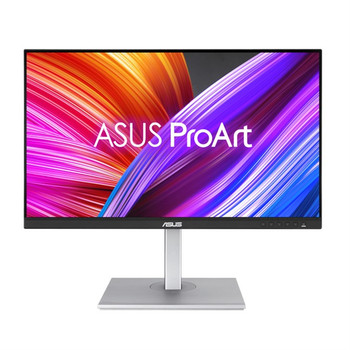
ASUS ProArt PA278CGV Computer Monitor 68.6 Cm 27 2560 X 1440 Pixels Quad HD LCD PA278CGV
Asus
£429.24
Incomparable Color. Unlimited Creativity. ProArt Display PA278CGV is a 27-inch monitor designed to satisfy the needs of creative professionals, from photo and video editing to graphic design. ProArt...
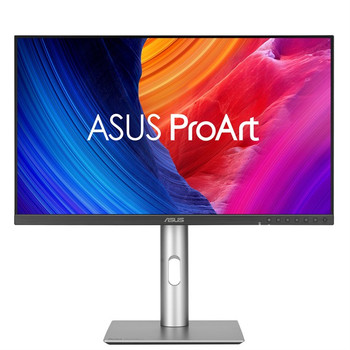
ASUS ProArt PA278CFRV computer monitor 68.6 cm 27 2560 x 1440 pixels Quad HD LCD PA278CFRV
Asus
£452.84
All the Essentials for Pros ProArt Display PA278CFRV is a 27-inch AGLR QHD monitor designed to satisfy the needs of creative professionals, from photo and video editing to graphic design. This...