
Optoma
Optoma N3551K Digital signage flat panel 139.7 cm 55 LED Wi-Fi 450 cd/m? 4K Ultr H1F2C0MBW101
(No reviews yet)
Write a Review

- UPC:
- 0000000000000
- MPN:
- H1F2C0MBW101
- Condition:
- New
- Availability:
- Available with FREE Delivery (usually delivered within 5-7 working days)

Description
N-Series Professional Displays
The N-Series Professional Displays are designed to enhance the current conferencing setups of corporate and education settings to accommodate hybrid work and distance-learning scenarios. Intuitive friendly software enables users to connect, present and collaborate globally, both in-person and remotely.
Featuring portrait and landscape orientation, the N-Series are built for usage in corporate lobbies and reception areas, conference rooms, lecture halls, digital signage and other professional environments.
Engineered for simplified connectivity and heightened engagement, content can be shared wirelessly with Creative Cast-, along with live content viewing and real time collaboration with Optoma-s interactive flat panel displays via Creative Board. With a built-in media player, users can display information, create, and customise their own playlist.
Additionally, users can also upload files wirelessly and access the cloud on popular systems such as Google, Microsoft, and Dropbox through Optoma-s File Manager.
CREATE. CONNECT. INSPIRE.
Connect with technology that unites. Optoma-s N-Series Professional Displays are designed to fit the needs of business professionals seamlessly. The result; intuitive user-friendly software to work in harmony with the way you present and collaborate.
Improve your brand image
Optoma-s N-Series Professional Displays are perfect for lobbies and reception areas.
Display information your way.
With a built-in media player and scheduling functionality, you can create, customise and schedule your own media playlists and display content at a specific date or time.
Real time collaboration
Connect globally. Teams can now share and annotate presentations simultaneously across the Optoma
Interactive Flat Panel Displays (5-Series) and Non Interactive Professional Displays (N-Series).
The Optoma Solutions Suite (OSS) platform includes Creative Board, where users can view amendments to
projects taking place in real time.*
*Users need to connect a keyboard and mouse to take full advantage of the interactive functionality on the N-Series.
Bring people together
Connect any device. Wirelessly broadcast, share or stream your content with CreativeCast- Pro. Screen mirror high-quality images, video, documents and audio from your smartphone, laptop or PC - all with a touch of a button. Bringing your own device has never been easier.
Hybrid collaboration
Encourage team collaboration in a hybrid work environment utilising Optoma-s video conferencing solutions and enabling access to content from any location.
Deliver information in an impactful way
Optoma-s N-Series is the ideal solution for digital signage.
Customise your content and display in either portrait or
landscape orientation across one or multiple displays.
More powerful than your TV
Optoma-s N-Series offers many benefits.
Premium display with superior brightness, low blue light filter and flicker-free technology
Creative Board and CreativeCast Pro exclusive software, and built-in apps for file sharing and device management
Optimised for conferencing solutions such as web cameras, Bluetooth speakers, and motorised trollies
Supports both portrait and landscape orientation
Connect anytime, anywhere
Peace of mind
Businesses can have confidence in the ability of their IT managers to provide remote support with the Optoma Management Suite (OMS)- solution. IT managers can easily monitor and diagnose issues related to any Optoma AV display, ensuring employees are not left without assistance. For an extra layer of readiness, companies can also set alerts and broadcast emergency announcements.
Specs
Display
LED backlight
A backlight is a form of illumination used in liquid crystal displays (LCDs). One type of backlight is made by LEDs, which can be either white or RGB (red green blue). White LEDs are used most often in notebooks and desktop screens, and in virtually all mobile LCD screens. RGB LEDs for backlighting are found in high-end color proofing displays such as HP DreamColor LP2480zx monitor or selected HP EliteBook notebooks, as well as newer consumer grade displays such as Dell's Studio series laptops which have an optional RGB LED display.
LED backlighting type
Backlighting is the illumination of a screen e.g. LCD (liquid crystal display). There are several types of backlighting with LEDs, e.g. full array, edge lit.
Direct-LED
Display diagonal
Size of the display for this product, measured diagonally, usually in inches.
9.7 cm (55")
Display technology
The technology used in the display e.g. plasma, LED.
LED
Display resolution
The number of distinct pixels in each dimension that can be displayed. It is usually quoted as width - height, with the units in pixels: for example, "1024 - 768" means the width is 1024 pixels and the height is 768 pixels. The higher the number of pixels, the sharper the image.
3840 x 2160 pixels
Display brightness
Brightness is the amount of radiating light emitted from the screen. The brightness rating is measured in candellas per square meter, commonly known as 'nits'.
450 cd/m?
HD type
Type of supported High Definition (e.g. Full HD, 4K Ultra HD).
4K Ultra HD
Response time
The response time is the time difference between the moment that a source (for example a video card) sends a signal and that equipment (for example a monitor) receives or display the signal. (Used abbreviations: R/F = Rise and Fall.)
6 ms
Contrast ratio (typical)
The difference in light intensity between the brightest white and the darkest black.
4000:1
Contrast ratio (dynamic)
A property of a display system, defined as the ratio of the luminance of the brightest color (white) to that of the darkest color (black) that the system is capable of producing.
5000:1
Viewing angle, horizontal
Maximum horizontal angle at which a display can be viewed with acceptable visual performance.
8?
Viewing angle, vertical
Maximum vertical angle at which a display can be viewed with acceptable visual performance.
8?
Display number of colours
1.073 billion colours
Number of displays
1
Rated lifetime
50000 h
Haze rate
25%
Ports & interfaces
HDMI ports quantity
The number of sockets (ports) for HDMI connections. HDMI (High-Definition Multimedia Interface) is a compact audio/video interface for transferring uncompressed video data and compressed/uncompressed digital audio data from a HDMI-compliant device ("the source device") to a compatible computer monitor, video projector, digital television, or digital audio device. HDMI is a digital replacement for existing analog video standards.
3
HDMI version
2.0
HDMI input ports quantity
2
HDMI output ports quantity
1
USB port
The device features a socket into which a USB cable can be plugged.
USB ports quantity
3
USB version
Universal Serial Bus (USB) is an industry standard developed in the mid-1990s that defines the interface used for connection, communication and power supply between computers and electronic devices. Every new version - for example 1.1, 2.0, 3.0 - is much faster than the previous one.
2.0
USB 2.0 Type-B ports quantity
1
USB 3.2 Gen 1 (3.1 Gen 1) Type-A ports quantity
1
USB 3.2 Gen 1 (3.1 Gen 1) Type-C ports quantity
Number of USB 3.0 (3.1 Gen 1) ports with Type-C connector. USB 3.0 (3.1 Gen 1) is USB interface version which supports transfer rate up to 5 Gbit/s (SuperSpeed). USB Type-C connector has symmetrical design architecture and compatible with Thunderbolt 3 interface.
1
Ethernet LAN (RJ-45) ports
Number of Ethernet LAN (RJ-45) ports (connecting interfaces) in the device. Ethernet LAN (RJ-45) ports allow a computer to connect to the ethernet.
1
RS-232 interface
Audio
Built-in speaker(s)
The device contains speaker(s) to produce sound.
Number of built-in speakers
2
RMS rated power
RMS (Root mean square) is a measure of the continuous power required by a device, in particular audio amplifiers and loudspeakers.
W
Design
Product design
The creation of a plan or convention for the construction of an object or a system.
Digital signage flat panel
Placement supported
Where the product can be placed e.g. indoor/outdoor, horizontal/vertical.
Indoor
Orientation
Horizontal/Vertical
Product colour
The colour e.g. red, blue, green, black, white.
Black
Screen shape
Flat
Design
VESA mounting
Panel mounting interface
The product can be used wih VESA mounting interfaces.
400 x 200 mm
Bezel width (bottom)
2.6 cm
Bezel width (side)
2.6 cm
Bezel width (top)
2.6 cm
Performance
Purpose
What the product is used for.
Universal
Number of OSD languages
On Screen Display (OSD) languages
Arabic, Simplified Chinese, Traditional Chinese, Czech, Danish, German, English, Spanish, French, Italian, Polish, Portuguese, Romanian, Russian, Swedish, Turkish
Operating hours (hours/days)
24/7
Power
Power consumption (typical)
Amount of power consumed by this model, often expressed in watts (W). Typical values that manufacturers give are power consumption when off, standby/suspended mode, typical use, maximum usage.
340 W
Power consumption (standby)
The amount of electricity that is consumed when the product is on standby.
0.5 W
Power consumption (max)
The maximum amount of power used by the device.
515 W
AC input voltage
The voltage of the AC electricity that is inputted into the product.
0 - 240 V
AC input frequency
50 - 60 Hz
Computer system
Internal memory
A computer's memory which is directly accessible to the CPU.
4 GB
Internal storage capacity
The amount e.g of data which can be stored inside the device.
32 GB
Operating system installed
Type of operating system on a device e.g. IOS on Apple devices, Android for mobile devices.
Android 11
Weight & dimensions
Display width
33 mm
Display depth
71.4 mm
Display height
703.5 mm
Display weight
.4 kg
Weight (with stand)
.5 kg
Packaging content
Remote control included
Component of an electronics device, most commonly a television set, DVD player and home theater systems originally used for operating the device wirelessly from a short line-of-sight distance.
Cables included
HDMI
Operational conditions
Operating temperature (T-T)
The minimum and maximum temperatures at which the product can be safely operated.
0 - 40 ?C
Network
Ethernet LAN
An Ethernet LAN (Local Area Network) interface is present, for a wired conection via a cable.
Wi-Fi
Popular technology that allows an electronic device to exchange data or connect to the internet wirelessly using radio waves.
Wi-Fi standards
The type of wireless local area network (LAN). It can be ad-hoc, where units in a network communicate peer-to-peer, or Infrastructure, where units communicate with each other via an access point A LAN interconnects computers in a small area e.g. home, school or office.
802.11a, 802.11b, 802.11g, Wi-Fi 5 (802.11ac), Wi-Fi 6 (802.11ax)
Features
Base colour
Black
Suitable for indoor use
Wall mountable
The product can be mounted on (attached to ) a wall.
Technical details
Audio out (mini jack)
2
OPS slot
1
View AllClose
The N-Series Professional Displays are designed to enhance the current conferencing setups of corporate and education settings to accommodate hybrid work and distance-learning scenarios. Intuitive friendly software enables users to connect, present and collaborate globally, both in-person and remotely.
Featuring portrait and landscape orientation, the N-Series are built for usage in corporate lobbies and reception areas, conference rooms, lecture halls, digital signage and other professional environments.
Engineered for simplified connectivity and heightened engagement, content can be shared wirelessly with Creative Cast-, along with live content viewing and real time collaboration with Optoma-s interactive flat panel displays via Creative Board. With a built-in media player, users can display information, create, and customise their own playlist.
Additionally, users can also upload files wirelessly and access the cloud on popular systems such as Google, Microsoft, and Dropbox through Optoma-s File Manager.
CREATE. CONNECT. INSPIRE.
Connect with technology that unites. Optoma-s N-Series Professional Displays are designed to fit the needs of business professionals seamlessly. The result; intuitive user-friendly software to work in harmony with the way you present and collaborate.
Improve your brand image
Optoma-s N-Series Professional Displays are perfect for lobbies and reception areas.
Display information your way.
With a built-in media player and scheduling functionality, you can create, customise and schedule your own media playlists and display content at a specific date or time.
Real time collaboration
Connect globally. Teams can now share and annotate presentations simultaneously across the Optoma
Interactive Flat Panel Displays (5-Series) and Non Interactive Professional Displays (N-Series).
The Optoma Solutions Suite (OSS) platform includes Creative Board, where users can view amendments to
projects taking place in real time.*
*Users need to connect a keyboard and mouse to take full advantage of the interactive functionality on the N-Series.
Bring people together
Connect any device. Wirelessly broadcast, share or stream your content with CreativeCast- Pro. Screen mirror high-quality images, video, documents and audio from your smartphone, laptop or PC - all with a touch of a button. Bringing your own device has never been easier.
Hybrid collaboration
Encourage team collaboration in a hybrid work environment utilising Optoma-s video conferencing solutions and enabling access to content from any location.
Deliver information in an impactful way
Optoma-s N-Series is the ideal solution for digital signage.
Customise your content and display in either portrait or
landscape orientation across one or multiple displays.
More powerful than your TV
Optoma-s N-Series offers many benefits.
Premium display with superior brightness, low blue light filter and flicker-free technology
Creative Board and CreativeCast Pro exclusive software, and built-in apps for file sharing and device management
Optimised for conferencing solutions such as web cameras, Bluetooth speakers, and motorised trollies
Supports both portrait and landscape orientation
Connect anytime, anywhere
Peace of mind
Businesses can have confidence in the ability of their IT managers to provide remote support with the Optoma Management Suite (OMS)- solution. IT managers can easily monitor and diagnose issues related to any Optoma AV display, ensuring employees are not left without assistance. For an extra layer of readiness, companies can also set alerts and broadcast emergency announcements.
Specs
Display
LED backlight
A backlight is a form of illumination used in liquid crystal displays (LCDs). One type of backlight is made by LEDs, which can be either white or RGB (red green blue). White LEDs are used most often in notebooks and desktop screens, and in virtually all mobile LCD screens. RGB LEDs for backlighting are found in high-end color proofing displays such as HP DreamColor LP2480zx monitor or selected HP EliteBook notebooks, as well as newer consumer grade displays such as Dell's Studio series laptops which have an optional RGB LED display.
LED backlighting type
Backlighting is the illumination of a screen e.g. LCD (liquid crystal display). There are several types of backlighting with LEDs, e.g. full array, edge lit.
Direct-LED
Display diagonal
Size of the display for this product, measured diagonally, usually in inches.
9.7 cm (55")
Display technology
The technology used in the display e.g. plasma, LED.
LED
Display resolution
The number of distinct pixels in each dimension that can be displayed. It is usually quoted as width - height, with the units in pixels: for example, "1024 - 768" means the width is 1024 pixels and the height is 768 pixels. The higher the number of pixels, the sharper the image.
3840 x 2160 pixels
Display brightness
Brightness is the amount of radiating light emitted from the screen. The brightness rating is measured in candellas per square meter, commonly known as 'nits'.
450 cd/m?
HD type
Type of supported High Definition (e.g. Full HD, 4K Ultra HD).
4K Ultra HD
Response time
The response time is the time difference between the moment that a source (for example a video card) sends a signal and that equipment (for example a monitor) receives or display the signal. (Used abbreviations: R/F = Rise and Fall.)
6 ms
Contrast ratio (typical)
The difference in light intensity between the brightest white and the darkest black.
4000:1
Contrast ratio (dynamic)
A property of a display system, defined as the ratio of the luminance of the brightest color (white) to that of the darkest color (black) that the system is capable of producing.
5000:1
Viewing angle, horizontal
Maximum horizontal angle at which a display can be viewed with acceptable visual performance.
8?
Viewing angle, vertical
Maximum vertical angle at which a display can be viewed with acceptable visual performance.
8?
Display number of colours
1.073 billion colours
Number of displays
1
Rated lifetime
50000 h
Haze rate
25%
Ports & interfaces
HDMI ports quantity
The number of sockets (ports) for HDMI connections. HDMI (High-Definition Multimedia Interface) is a compact audio/video interface for transferring uncompressed video data and compressed/uncompressed digital audio data from a HDMI-compliant device ("the source device") to a compatible computer monitor, video projector, digital television, or digital audio device. HDMI is a digital replacement for existing analog video standards.
3
HDMI version
2.0
HDMI input ports quantity
2
HDMI output ports quantity
1
USB port
The device features a socket into which a USB cable can be plugged.
USB ports quantity
3
USB version
Universal Serial Bus (USB) is an industry standard developed in the mid-1990s that defines the interface used for connection, communication and power supply between computers and electronic devices. Every new version - for example 1.1, 2.0, 3.0 - is much faster than the previous one.
2.0
USB 2.0 Type-B ports quantity
1
USB 3.2 Gen 1 (3.1 Gen 1) Type-A ports quantity
1
USB 3.2 Gen 1 (3.1 Gen 1) Type-C ports quantity
Number of USB 3.0 (3.1 Gen 1) ports with Type-C connector. USB 3.0 (3.1 Gen 1) is USB interface version which supports transfer rate up to 5 Gbit/s (SuperSpeed). USB Type-C connector has symmetrical design architecture and compatible with Thunderbolt 3 interface.
1
Ethernet LAN (RJ-45) ports
Number of Ethernet LAN (RJ-45) ports (connecting interfaces) in the device. Ethernet LAN (RJ-45) ports allow a computer to connect to the ethernet.
1
RS-232 interface
Audio
Built-in speaker(s)
The device contains speaker(s) to produce sound.
Number of built-in speakers
2
RMS rated power
RMS (Root mean square) is a measure of the continuous power required by a device, in particular audio amplifiers and loudspeakers.
W
Design
Product design
The creation of a plan or convention for the construction of an object or a system.
Digital signage flat panel
Placement supported
Where the product can be placed e.g. indoor/outdoor, horizontal/vertical.
Indoor
Orientation
Horizontal/Vertical
Product colour
The colour e.g. red, blue, green, black, white.
Black
Screen shape
Flat
Design
VESA mounting
Panel mounting interface
The product can be used wih VESA mounting interfaces.
400 x 200 mm
Bezel width (bottom)
2.6 cm
Bezel width (side)
2.6 cm
Bezel width (top)
2.6 cm
Performance
Purpose
What the product is used for.
Universal
Number of OSD languages
On Screen Display (OSD) languages
Arabic, Simplified Chinese, Traditional Chinese, Czech, Danish, German, English, Spanish, French, Italian, Polish, Portuguese, Romanian, Russian, Swedish, Turkish
Operating hours (hours/days)
24/7
Power
Power consumption (typical)
Amount of power consumed by this model, often expressed in watts (W). Typical values that manufacturers give are power consumption when off, standby/suspended mode, typical use, maximum usage.
340 W
Power consumption (standby)
The amount of electricity that is consumed when the product is on standby.
0.5 W
Power consumption (max)
The maximum amount of power used by the device.
515 W
AC input voltage
The voltage of the AC electricity that is inputted into the product.
0 - 240 V
AC input frequency
50 - 60 Hz
Computer system
Internal memory
A computer's memory which is directly accessible to the CPU.
4 GB
Internal storage capacity
The amount e.g of data which can be stored inside the device.
32 GB
Operating system installed
Type of operating system on a device e.g. IOS on Apple devices, Android for mobile devices.
Android 11
Weight & dimensions
Display width
33 mm
Display depth
71.4 mm
Display height
703.5 mm
Display weight
.4 kg
Weight (with stand)
.5 kg
Packaging content
Remote control included
Component of an electronics device, most commonly a television set, DVD player and home theater systems originally used for operating the device wirelessly from a short line-of-sight distance.
Cables included
HDMI
Operational conditions
Operating temperature (T-T)
The minimum and maximum temperatures at which the product can be safely operated.
0 - 40 ?C
Network
Ethernet LAN
An Ethernet LAN (Local Area Network) interface is present, for a wired conection via a cable.
Wi-Fi
Popular technology that allows an electronic device to exchange data or connect to the internet wirelessly using radio waves.
Wi-Fi standards
The type of wireless local area network (LAN). It can be ad-hoc, where units in a network communicate peer-to-peer, or Infrastructure, where units communicate with each other via an access point A LAN interconnects computers in a small area e.g. home, school or office.
802.11a, 802.11b, 802.11g, Wi-Fi 5 (802.11ac), Wi-Fi 6 (802.11ax)
Features
Base colour
Black
Suitable for indoor use
Wall mountable
The product can be mounted on (attached to ) a wall.
Technical details
Audio out (mini jack)
2
OPS slot
1
Additional Information
Shipping: |
Usually shipped within 3-5 working days |
Delivery: |
Usually delivered within 5-7 working days |
Related Products
Related Products
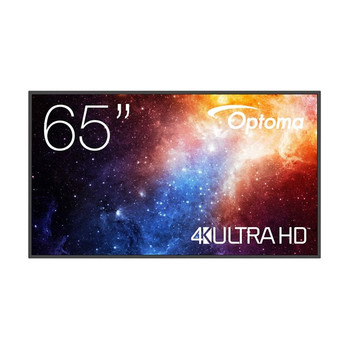
Optoma N3651K Digital signage flat panel 165.1 cm 65 LED Wi-Fi 450 cd/m? 4K Ultr H1F2C0FBW101
Optoma
£1,132.61
N-Series Professional Displays The N-Series Professional Displays are designed to enhance the current conferencing setups of corporate and education settings to accommodate hybrid work and...
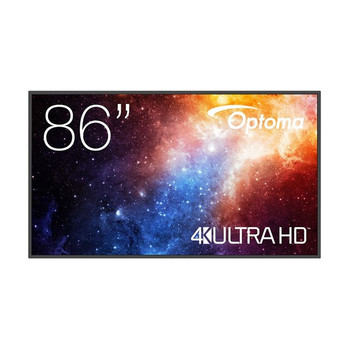
Optoma N3861K Digital signage flat panel 2.18 m 86 LED Wi-Fi 450 cd/m? 4K Ultra H1F2C0HBW101
Optoma
£2,055.93
N-Series Professional Displays The N-Series Professional Displays are designed to enhance the current conferencing setups of corporate and education settings to accommodate hybrid work and...

Samsung QH43C Digital signage flat panel 109.2 cm 43 LED Wi-Fi 700 cd/m? 4K Ultr LH43QHCEBGCXEN
Samsung
£1,013.85
Specs Display Panel type VA Display diagonal Size of the display for this product, measured diagonally, usually in inches. 9.2 cm (43") Display technology The...
Out of stock

Optoma N3981K Digital signage flat panel 2.49 m 98 LED Wi-Fi 500 cd/m? 4K Ultra H1F2C0IBW101
Optoma
£4,006.13
N-Series Professional Displays The N-Series Professional Displays are designed to enhance the current conferencing setups of corporate and education settings to accommodate hybrid work and...