
Samsung
Samsung 27 Odyssey OLED G6 G60SF QHD 500Hz Gaming Monitor" LS27FG602SUXXU
(No reviews yet)
Write a Review

- UPC:
- 8806097455912
- MPN:
- LS27FG602SUXXU
- Condition:
- New
- Availability:
- Available with FREE Delivery (usually delivered within 5-7 working days)

Description
Vivid gameplay with true-to-life visuals
VESA DisplayHDR TrueBlack 500
Immerse yourself in realistic gaming visuals. With TrueBlack 500 certification, the monitor delivers ultra-deep blacks and 1000-nit peak brightness for stunning contrast, vibrant highlights, and rich colour - bringing every frame to life with sharper, more immersive detail.
Dive into realistic gameplay with lifelike colours
Pantone Validated
Enjoy immersive gaming with precise colour reproduction. Our Pantone Validated screen can accurately reproduce 2100+ colours and 110+ SkinTone shades from Pantone's library. Plus, the brilliant QD-OLED display helps bring games to life as intended by developers - for an engaging gaming experience.
Outmaneuver opponents with supreme speed
0.03ms Response Time
Take your most intense gaming sessions to new heights. OLED technology delivers a near-instant reaction time of 0.03ms GTG, allowing you to secure wins in fast-paced games with crisp, razor-sharp visuals.
Immerse yourself in smooth action
G-Sync Compatible
G-Sync compatibility syncs the GPU and panel to reduce choppiness, screen lag and image tearing. Along with AMD FreeSync Premium Pro, it creates ultra-smooth scenes that let you game with a competitive edge.
Dynamic Cooling System
Built into a monitor for the first time in the world, Pulsating Heat Pipe uses a coolant that evaporates and condenses to diffuse heat five times faster than a graphite sheet, reducing core temperature and preventing burn-ins.
Thermal Modulation System
Thermal Modulation System uses algorithms to automatically control brightness and prevent overheating.
Logo & Taskbar Detection
The brightness on static images, like logos and taskbars, is automatically reduced to prevent burn-ins.
Screen Saver
The screen dims itself after 10 minutes of inactivity and comes back to regular brightness with any input.
Stunning in any space
Slim Metal Design
Upgrade your gaming station with a razor-sharp design. Real metal adds a premium finish to Odyssey OLED's modern design that matches your style.
Designed to magnify your immersion
CoreSync & CoreLighting+
Set the mood for your gaming. CoreSync technology projects your game's on-screen colours into the real world with 16.7 million colours. Thanks to CoreLighting+, get fully immersed with vibrant colours that instantly shift the vibe.
Maintain winning streaks with ease
Ergonomic Stand
Reach the height of winning in total comfort. Simply tilt and adjust your monitor until all enemies are in perfect view.
Specs
Display
Display diagonal
Size of the display for this product, measured diagonally, usually in inches.
68.6 cm (27")
Display resolution
The number of distinct pixels in each dimension that can be displayed. It is usually quoted as width - height, with the units in pixels: for example, "1024 - 768" means the width is 1024 pixels and the height is 768 pixels. The higher the number of pixels, the sharper the image.
2560 x 1440 pixels
HD type
Type of supported High Definition (e.g. Full HD, 4K Ultra HD).
Quad HD
Native aspect ratio
The aspect ratio is the ratio of the width of an image to its height. The native aspect ratio is the one which the projector/display is particularly designed for. Images shown in native aspect ratio will utilize the entire resolution of the display and achieve maximum brightness. Images shown in other than native aspect ratio will always have less resolution and less brightness than images shown in native aspect ratio.
:9
Display technology
The technology used in the display e.g. plasma, LED.
OLED
Panel type
OLED
LED backlight
A backlight is a form of illumination used in liquid crystal displays (LCDs). One type of backlight is made by LEDs, which can be either white or RGB (red green blue). White LEDs are used most often in notebooks and desktop screens, and in virtually all mobile LCD screens. RGB LEDs for backlighting are found in high-end color proofing displays such as HP DreamColor LP2480zx monitor or selected HP EliteBook notebooks, as well as newer consumer grade displays such as Dell's Studio series laptops which have an optional RGB LED display.
Touchscreen
A screen of a laptop, smartphone, etc., that responds to touch so you can control the interface using your fingers.
Display brightness (typical)
Display brightness, measured by its Luminance, presented as a figure in nits. Typical brightness ratings for monitors range from 250 to 350 nits with a target value of between 80 to 120 nits being suitable for most displays in a normal viewing environment.
300 cd/m-
Display brightness (min)
0 cd/m-
Response time
The response time is the time difference between the moment that a source (for example a video card) sends a signal and that equipment (for example a monitor) receives or display the signal. (Used abbreviations: R/F = Rise and Fall.)
0.03 ms
Response time measurement type
GTG (Gray to Gray)
Screen shape
Flat
Contrast ratio (typical)
The difference in light intensity between the brightest white and the darkest black.
00000:1
Maximum refresh rate
500 Hz
Viewing angle, horizontal
Maximum horizontal angle at which a display can be viewed with acceptable visual performance.
8-
Viewing angle, vertical
Maximum vertical angle at which a display can be viewed with acceptable visual performance.
8-
Display number of colours
1 billion colours
Viewable size, horizontal
The viewable size is often somewhat smaller than the actual size of a monitor, because there is a border around the image.
59 cm
Viewable size, vertical
33.4 cm
High Dynamic Range (HDR) supported
High Dynamic Range (HDR) technology
DisplayHDR True Black 500, High Dynamic Range 10+ Gaming (HDR10 Plus Gaming)
Colour gamut standard
DCI-P3
Colour gamut
99%
DCI-P3 coverage
99%
Quantum dot color technology
Performance
NVIDIA G-SYNC
NVIDIA G-SYNC type
G-SYNC Compatible
AMD FreeSync
The product includes AMD Freesync Technology for the dynamic synchronization of the graphic card and the monitor in order to avoid screen tearing.
AMD FreeSync type
FreeSync Premium Pro
Flicker-free technology
Game features
Super Arena Gaming UX
Multimedia
Built-in speaker(s)
The device contains speaker(s) to produce sound.
Built-in microphone
Microphone that is found inside the product.
Built-in camera
The product has an integrated camera.
Design
Market positioning
Under which category can the device be positioned in the market, e.g. camera phone.
Gaming
Product colour
The colour e.g. red, blue, green, black, white.
Silver
Feet colour
The colour of the feet, which are the projecting part on which a device/piece of furniture, or each of its legs, stands.
Silver
Ports & interfaces
Built-in USB hub
Whether or not the device features a USB hub to connect more than one other device via USB.
USB hub version
3.2 Gen 1 (3.1 Gen 1)
Number of USB Type-B upstream ports quantity
1
USB Type-A downstream ports quantity
2
HDMI
HDMI (High-Definition Multimedia Interface) is a compact audio/video interface for transferring uncompressed video data and compressed/uncompressed digital audio data from a HDMI-compliant device ("the source device") to a compatible computer monitor, video projector, digital television, or digital audio device. HDMI is a digital replacement for existing analog video standards.
HDMI ports quantity
The number of sockets (ports) for HDMI connections. HDMI (High-Definition Multimedia Interface) is a compact audio/video interface for transferring uncompressed video data and compressed/uncompressed digital audio data from a HDMI-compliant device ("the source device") to a compatible computer monitor, video projector, digital television, or digital audio device. HDMI is a digital replacement for existing analog video standards.
2
HDMI version
2.1
DisplayPorts quantity
Number of DisplayPorts. A DisplayPort is a digital display interface developed by the Video Electronics Standards Association (VESA). The interface is primarily used to connect a video source to a display device such as a computer monitor, though it can also be used to carry audio, USB, and other forms of data.
1
DisplayPort version
1.4
Headphone out
The socket for connecting headphones to the device.
HDCP
High-bandwidth Digital Content Protection (HDCP) is a form of digital copy protection to prevent copying of digital audio and video content as it travels across connections.
HDCP version
2.2
Network
Wi-Fi
Popular technology that allows an electronic device to exchange data or connect to the internet wirelessly using radio waves.
Ethernet LAN
An Ethernet LAN (Local Area Network) interface is present, for a wired conection via a cable.
Ergonomics
VESA mounting
Panel mounting interface
The product can be used wih VESA mounting interfaces.
0 x 100 mm
Wall mountable
The product can be mounted on (attached to ) a wall.
Ergonomics
Height adjustment
The part of the device that can be adjusted to change the height.
Adjustable height (max)
cm
Pivot
Pivot angle
-92 - 92-
Swivelling
Swivel angle range
-30 - 30-
Tilt adjustment
The tilt, which means the angle at which the device is pointing (up or down), can be changed.
Tilt angle range
-2 - 25-
Picture-in-Picture
Picture-in-picture (PiP) is a feature of some television receivers and similar devices. One program (channel) is displayed on the full TV screen at the same time as one or more other programs are displayed in inset windows. Sound is usually from the main program only.
On Screen Display (OSD)
Black eQualizer function
Power
Energy efficiency class (SDR)
G
Energy efficiency class (HDR)
G
Energy consumption (SDR) per 1000 hours
41 kWh
Energy consumption (HDR) per 1000 hours
48 kWh
Power consumption (typical)
Amount of power consumed by this model, often expressed in watts (W). Typical values that manufacturers give are power consumption when off, standby/suspended mode, typical use, maximum usage.
41.4 W
Power consumption (standby)
The amount of electricity that is consumed when the product is on standby.
0.5 W
Power consumption (max)
The maximum amount of power used by the device.
0 W
Power consumption (off)
0.3 W
AC input voltage
The voltage of the AC electricity that is inputted into the product.
0 - 240 V
AC input frequency
50/60 Hz
Power supply type
The type of power supply which this product uses.
External
Energy efficiency scale
A to G
Annual energy consumption
The amount of energy used by the product per year.
60 kWh
Operational conditions
Operating temperature (T-T)
The minimum and maximum temperatures at which the product can be safely operated.
0 - 40 -C
Operating relative humidity (H-H)
- 80%
Non-operating relative humidity (non-condensing)
Range of relative humidity (non-condensing) in which a non-operating product can be stored.
- 80%
Weight & dimensions
Width (with stand)
611.7 mm
Depth (with stand)
263.5 mm
Height (with stand)
554.2 mm
Weight (with stand)
6.9 kg
Width (without stand)
611.7 mm
Depth (without stand)
49.2 mm
Height (without stand)
353.8 mm
Weight (without stand)
3.8 kg
Packaging data
Stand type
HAS stand
Package width
The distance from one side of the packaging to the other.
684 mm
Package depth
The distance from the front to the back of the packaging.
464 mm
Package height
The distance from the top to the bottom of the packaging.
0 mm
Package weight
Weight of the packaged product.
9.5 kg
Packaging content
Stand included
Cables included
HDMI, DisplayPort, USB
Power cable length
1.5 m
Other features
Brand specific technologies
Eye Saver, Black Equalizer, Core Sync
Digital signal format system
The protocols supported for exchange of digital signal.
Not supported
Energy saving functions
Yes
Samsung Eye Saver Mode
Warranty period
2 year(s)
Image size
Off Timer Plus
Virtual AIM point
Auto source switch+
Certification
Windows11
View AllClose
VESA DisplayHDR TrueBlack 500
Immerse yourself in realistic gaming visuals. With TrueBlack 500 certification, the monitor delivers ultra-deep blacks and 1000-nit peak brightness for stunning contrast, vibrant highlights, and rich colour - bringing every frame to life with sharper, more immersive detail.
Dive into realistic gameplay with lifelike colours
Pantone Validated
Enjoy immersive gaming with precise colour reproduction. Our Pantone Validated screen can accurately reproduce 2100+ colours and 110+ SkinTone shades from Pantone's library. Plus, the brilliant QD-OLED display helps bring games to life as intended by developers - for an engaging gaming experience.
Outmaneuver opponents with supreme speed
0.03ms Response Time
Take your most intense gaming sessions to new heights. OLED technology delivers a near-instant reaction time of 0.03ms GTG, allowing you to secure wins in fast-paced games with crisp, razor-sharp visuals.
Immerse yourself in smooth action
G-Sync Compatible
G-Sync compatibility syncs the GPU and panel to reduce choppiness, screen lag and image tearing. Along with AMD FreeSync Premium Pro, it creates ultra-smooth scenes that let you game with a competitive edge.
Dynamic Cooling System
Built into a monitor for the first time in the world, Pulsating Heat Pipe uses a coolant that evaporates and condenses to diffuse heat five times faster than a graphite sheet, reducing core temperature and preventing burn-ins.
Thermal Modulation System
Thermal Modulation System uses algorithms to automatically control brightness and prevent overheating.
Logo & Taskbar Detection
The brightness on static images, like logos and taskbars, is automatically reduced to prevent burn-ins.
Screen Saver
The screen dims itself after 10 minutes of inactivity and comes back to regular brightness with any input.
Stunning in any space
Slim Metal Design
Upgrade your gaming station with a razor-sharp design. Real metal adds a premium finish to Odyssey OLED's modern design that matches your style.
Designed to magnify your immersion
CoreSync & CoreLighting+
Set the mood for your gaming. CoreSync technology projects your game's on-screen colours into the real world with 16.7 million colours. Thanks to CoreLighting+, get fully immersed with vibrant colours that instantly shift the vibe.
Maintain winning streaks with ease
Ergonomic Stand
Reach the height of winning in total comfort. Simply tilt and adjust your monitor until all enemies are in perfect view.
Specs
Display
Display diagonal
Size of the display for this product, measured diagonally, usually in inches.
68.6 cm (27")
Display resolution
The number of distinct pixels in each dimension that can be displayed. It is usually quoted as width - height, with the units in pixels: for example, "1024 - 768" means the width is 1024 pixels and the height is 768 pixels. The higher the number of pixels, the sharper the image.
2560 x 1440 pixels
HD type
Type of supported High Definition (e.g. Full HD, 4K Ultra HD).
Quad HD
Native aspect ratio
The aspect ratio is the ratio of the width of an image to its height. The native aspect ratio is the one which the projector/display is particularly designed for. Images shown in native aspect ratio will utilize the entire resolution of the display and achieve maximum brightness. Images shown in other than native aspect ratio will always have less resolution and less brightness than images shown in native aspect ratio.
:9
Display technology
The technology used in the display e.g. plasma, LED.
OLED
Panel type
OLED
LED backlight
A backlight is a form of illumination used in liquid crystal displays (LCDs). One type of backlight is made by LEDs, which can be either white or RGB (red green blue). White LEDs are used most often in notebooks and desktop screens, and in virtually all mobile LCD screens. RGB LEDs for backlighting are found in high-end color proofing displays such as HP DreamColor LP2480zx monitor or selected HP EliteBook notebooks, as well as newer consumer grade displays such as Dell's Studio series laptops which have an optional RGB LED display.
Touchscreen
A screen of a laptop, smartphone, etc., that responds to touch so you can control the interface using your fingers.
Display brightness (typical)
Display brightness, measured by its Luminance, presented as a figure in nits. Typical brightness ratings for monitors range from 250 to 350 nits with a target value of between 80 to 120 nits being suitable for most displays in a normal viewing environment.
300 cd/m-
Display brightness (min)
0 cd/m-
Response time
The response time is the time difference between the moment that a source (for example a video card) sends a signal and that equipment (for example a monitor) receives or display the signal. (Used abbreviations: R/F = Rise and Fall.)
0.03 ms
Response time measurement type
GTG (Gray to Gray)
Screen shape
Flat
Contrast ratio (typical)
The difference in light intensity between the brightest white and the darkest black.
00000:1
Maximum refresh rate
500 Hz
Viewing angle, horizontal
Maximum horizontal angle at which a display can be viewed with acceptable visual performance.
8-
Viewing angle, vertical
Maximum vertical angle at which a display can be viewed with acceptable visual performance.
8-
Display number of colours
1 billion colours
Viewable size, horizontal
The viewable size is often somewhat smaller than the actual size of a monitor, because there is a border around the image.
59 cm
Viewable size, vertical
33.4 cm
High Dynamic Range (HDR) supported
High Dynamic Range (HDR) technology
DisplayHDR True Black 500, High Dynamic Range 10+ Gaming (HDR10 Plus Gaming)
Colour gamut standard
DCI-P3
Colour gamut
99%
DCI-P3 coverage
99%
Quantum dot color technology
Performance
NVIDIA G-SYNC
NVIDIA G-SYNC type
G-SYNC Compatible
AMD FreeSync
The product includes AMD Freesync Technology for the dynamic synchronization of the graphic card and the monitor in order to avoid screen tearing.
AMD FreeSync type
FreeSync Premium Pro
Flicker-free technology
Game features
Super Arena Gaming UX
Multimedia
Built-in speaker(s)
The device contains speaker(s) to produce sound.
Built-in microphone
Microphone that is found inside the product.
Built-in camera
The product has an integrated camera.
Design
Market positioning
Under which category can the device be positioned in the market, e.g. camera phone.
Gaming
Product colour
The colour e.g. red, blue, green, black, white.
Silver
Feet colour
The colour of the feet, which are the projecting part on which a device/piece of furniture, or each of its legs, stands.
Silver
Ports & interfaces
Built-in USB hub
Whether or not the device features a USB hub to connect more than one other device via USB.
USB hub version
3.2 Gen 1 (3.1 Gen 1)
Number of USB Type-B upstream ports quantity
1
USB Type-A downstream ports quantity
2
HDMI
HDMI (High-Definition Multimedia Interface) is a compact audio/video interface for transferring uncompressed video data and compressed/uncompressed digital audio data from a HDMI-compliant device ("the source device") to a compatible computer monitor, video projector, digital television, or digital audio device. HDMI is a digital replacement for existing analog video standards.
HDMI ports quantity
The number of sockets (ports) for HDMI connections. HDMI (High-Definition Multimedia Interface) is a compact audio/video interface for transferring uncompressed video data and compressed/uncompressed digital audio data from a HDMI-compliant device ("the source device") to a compatible computer monitor, video projector, digital television, or digital audio device. HDMI is a digital replacement for existing analog video standards.
2
HDMI version
2.1
DisplayPorts quantity
Number of DisplayPorts. A DisplayPort is a digital display interface developed by the Video Electronics Standards Association (VESA). The interface is primarily used to connect a video source to a display device such as a computer monitor, though it can also be used to carry audio, USB, and other forms of data.
1
DisplayPort version
1.4
Headphone out
The socket for connecting headphones to the device.
HDCP
High-bandwidth Digital Content Protection (HDCP) is a form of digital copy protection to prevent copying of digital audio and video content as it travels across connections.
HDCP version
2.2
Network
Wi-Fi
Popular technology that allows an electronic device to exchange data or connect to the internet wirelessly using radio waves.
Ethernet LAN
An Ethernet LAN (Local Area Network) interface is present, for a wired conection via a cable.
Ergonomics
VESA mounting
Panel mounting interface
The product can be used wih VESA mounting interfaces.
0 x 100 mm
Wall mountable
The product can be mounted on (attached to ) a wall.
Ergonomics
Height adjustment
The part of the device that can be adjusted to change the height.
Adjustable height (max)
cm
Pivot
Pivot angle
-92 - 92-
Swivelling
Swivel angle range
-30 - 30-
Tilt adjustment
The tilt, which means the angle at which the device is pointing (up or down), can be changed.
Tilt angle range
-2 - 25-
Picture-in-Picture
Picture-in-picture (PiP) is a feature of some television receivers and similar devices. One program (channel) is displayed on the full TV screen at the same time as one or more other programs are displayed in inset windows. Sound is usually from the main program only.
On Screen Display (OSD)
Black eQualizer function
Power
Energy efficiency class (SDR)
G
Energy efficiency class (HDR)
G
Energy consumption (SDR) per 1000 hours
41 kWh
Energy consumption (HDR) per 1000 hours
48 kWh
Power consumption (typical)
Amount of power consumed by this model, often expressed in watts (W). Typical values that manufacturers give are power consumption when off, standby/suspended mode, typical use, maximum usage.
41.4 W
Power consumption (standby)
The amount of electricity that is consumed when the product is on standby.
0.5 W
Power consumption (max)
The maximum amount of power used by the device.
0 W
Power consumption (off)
0.3 W
AC input voltage
The voltage of the AC electricity that is inputted into the product.
0 - 240 V
AC input frequency
50/60 Hz
Power supply type
The type of power supply which this product uses.
External
Energy efficiency scale
A to G
Annual energy consumption
The amount of energy used by the product per year.
60 kWh
Operational conditions
Operating temperature (T-T)
The minimum and maximum temperatures at which the product can be safely operated.
0 - 40 -C
Operating relative humidity (H-H)
- 80%
Non-operating relative humidity (non-condensing)
Range of relative humidity (non-condensing) in which a non-operating product can be stored.
- 80%
Weight & dimensions
Width (with stand)
611.7 mm
Depth (with stand)
263.5 mm
Height (with stand)
554.2 mm
Weight (with stand)
6.9 kg
Width (without stand)
611.7 mm
Depth (without stand)
49.2 mm
Height (without stand)
353.8 mm
Weight (without stand)
3.8 kg
Packaging data
Stand type
HAS stand
Package width
The distance from one side of the packaging to the other.
684 mm
Package depth
The distance from the front to the back of the packaging.
464 mm
Package height
The distance from the top to the bottom of the packaging.
0 mm
Package weight
Weight of the packaged product.
9.5 kg
Packaging content
Stand included
Cables included
HDMI, DisplayPort, USB
Power cable length
1.5 m
Other features
Brand specific technologies
Eye Saver, Black Equalizer, Core Sync
Digital signal format system
The protocols supported for exchange of digital signal.
Not supported
Energy saving functions
Yes
Samsung Eye Saver Mode
Warranty period
2 year(s)
Image size
Off Timer Plus
Virtual AIM point
Auto source switch+
Certification
Windows11
Additional Information
Shipping: |
Usually shipped within 3-5 working days |
Delivery: |
Usually delivered within 5-7 working days |
Related Products
Related Products

Samsung 27 Odyssey G50D QHD 180Hz Gaming Monitor" LS27DG502EUXXU
Samsung
£244.87
Boost your reality QHD resolution & Fast IPS panel Your gaming world, more lifelike than ever before. Packing in 1.7 times the pixel density of Full HD, QHD resolution boasts incredibly...
Out of stock

Samsung Odyssey 27" OLED G60SD QHD 360Hz Gaming Monitor 68.6 cm 27" 2560 x 1440 LS27DG602SUXXU
Samsung
£821.49
Stunning visuals and brigther highlights OLED picture quality Samsung OLED delivers superior brightness with an expansive spectrum of colours, shades, and contrasts for consistently brilliant...
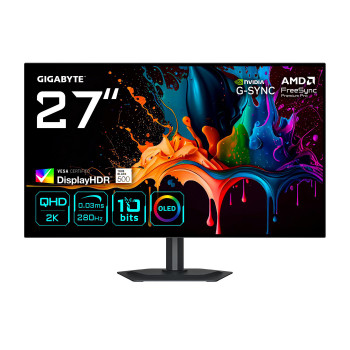
Gigabyte MO27Q28G 27" Oled Qhd Gaming Monitor MO27Q28G
Gigabyte
£730.42
(27") Oled Qhd Gaming Monitor - 2560 X 1440, 280Hz, 0.03Ms,

Gigabyte MO27Q3 27" Oled Qhd Gaming Monitor MO27Q3
Gigabyte
£691.42
(27") Oled Qhd Gaming Monitor - 2560 X 1440, 360Hz, 0.03Ms,
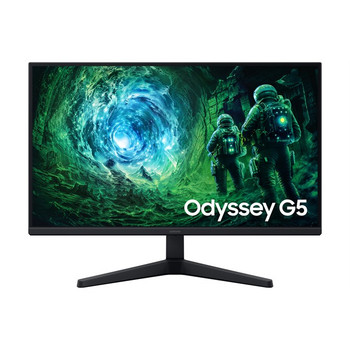
Samsung 27 Odyssey G5 G53F QHD 200Hz Gaming Monitor" LS27FG530EUXXU
Samsung
£214.06
Enhanced brightness and clearer details HDR10 Enjoy brilliant visuals with improved contrast and colour accuracy. HDR10 provides brighter highlights and nuanced shadow for added depth - making...