
Samsung
Samsung Smart Trio 500 keyboard Bluetooth QWERTY English Black EJ-B3400BBEGGB
(No reviews yet)
Write a Review

- UPC:
- 8806092201675
- MPN:
- EJ-B3400BBEGGB
- Condition:
- New
- Availability:
- Available with FREE Delivery (usually delivered within 5-7 working days)

Description
Pair multiple devices & switch with a click
Connect it up with three different devices at once. Enjoy wide compatibility and easy pairing, as a click is all you need to switch between smartphones, tablets and other devices paired with the Samsung Smart Keyboard Trio 500.
Wireless keyboard to-go for when you're on the go
Always be ready to achieve. Compact, slim and tastefully designed yet packed with special functions for a boosted performance, the wirelessly connectable Samsung Smart Keyboard Trio 500 delivers a comfortable typing experience wherever you are.
Assign custom Hot Keys to your favourite apps
Have shortcuts to the apps that you use the most and enjoy one-click access using 3 Hot Keys. Whether it's your favourite content streaming app or your most frequently used utility app, launching them is always a Hot Key away.
Enter into DeX for productivity
By accessing DeX via the Samsung Smart Keyboard Trio 500, reaching a desktop-like performance and productivity becomes a reality you can manifest from anywhere. Work with multiple windows at once, efficiently respond to messages and emails on one screen and achieve beyond the boundaries of devices.
Step 1. Connect via Bluetooth
Pairing it with your mobile phone, tablet or other devices takes just a few simple steps. First, turn the power button on and long-press the Bluetooth key for instant recognition.
Step 2. Click on the pop-up
Once the easy-pairing pop-up appears on your devices screen, simply click on it. You can pair up to three devices at once.
Step 3. Enter the 6-digit key
Enter in the 6-digit key from the easy-pairing pop-up. This will finish pairing your device with the keyboard securely.
Step 4. Heres your keyboard to-go
Thats it. The Samsung Smart Keyboard Trio 500 is ready to help you boost your productivity.
Specs
Keyboard
Recommended usage
What the product should be used for, and how it should be used (e.g. ambient temperature).
Universal
Connectivity technology
The technology that enables connectivity of the device, e.g. wired or wireless.
Wireless
Device interface
The ports (sockets) where the device connects with other devices.
Bluetooth
Keyboard layout
The type of keys on a keyboard, and their position on the keyboard. This can differ from country to country.
QWERTY
Keyboard language
The letters which are marked on the keys for convenience of the keyboard usage with specific language.
English
Pointing device
Numeric keypad
Small, palm-sized, seventeen key section of a computer keyboard, usually on the very far right. The numeric keypad features digits 0 to 9, addition (+), subtraction (-), multiplication (*) and division (/) symbols, a decimal point (.) and Num Lock and Enter keys. Laptop keyboards often do not have a numpad, but may provide numpad input by holding a modifier key (typically labelled "Fn") and operating keys on the standard keyboard.
Keyboard number of keys
79
Bluetooth version
The type of bluetooth technology in the product e.g. Bluetooth Smart (v4.0).
5.0
Country of origin
Country where the device is made. Aka Country of manufacture (COM).
China
Design
Backlight
Product has a built-in light source for its illuminating.
Product colour
The colour e.g. red, blue, green, black, white.
Black
Power
Power source type
What the power source is.
Battery
Keyboard battery type
AAA
Power
Number of batteries (keyboard)
3
Battery technology
The type of battery in the device, e.g. nickel-cadmium (NiCd).
Alkaline
Rechargeable
The device can be connected to a power supply in order to restore electrical energy in the battery.
Mouse
Mouse included
A mouse is included with this product.
Weight & dimensions
Keyboard dimensions (WxDxH)
281.08 x 16.35 x 127.42 mm
Keyboard weight
410 g
Packaging data
Package width
The distance from one side of the packaging to the other.
3 mm
Package depth
The distance from the front to the back of the packaging.
290 mm
Package height
The distance from the top to the bottom of the packaging.
29.5 mm
Package weight
Weight of the packaged product.
524 g
Packaging content
Number of products included
The number of products that are included in the package.
1 pc(s)
Logistics data
Commodity Classification Automated Tracking System (CCATS)
8471606000
View AllClose
Connect it up with three different devices at once. Enjoy wide compatibility and easy pairing, as a click is all you need to switch between smartphones, tablets and other devices paired with the Samsung Smart Keyboard Trio 500.
Wireless keyboard to-go for when you're on the go
Always be ready to achieve. Compact, slim and tastefully designed yet packed with special functions for a boosted performance, the wirelessly connectable Samsung Smart Keyboard Trio 500 delivers a comfortable typing experience wherever you are.
Assign custom Hot Keys to your favourite apps
Have shortcuts to the apps that you use the most and enjoy one-click access using 3 Hot Keys. Whether it's your favourite content streaming app or your most frequently used utility app, launching them is always a Hot Key away.
Enter into DeX for productivity
By accessing DeX via the Samsung Smart Keyboard Trio 500, reaching a desktop-like performance and productivity becomes a reality you can manifest from anywhere. Work with multiple windows at once, efficiently respond to messages and emails on one screen and achieve beyond the boundaries of devices.
Step 1. Connect via Bluetooth
Pairing it with your mobile phone, tablet or other devices takes just a few simple steps. First, turn the power button on and long-press the Bluetooth key for instant recognition.
Step 2. Click on the pop-up
Once the easy-pairing pop-up appears on your devices screen, simply click on it. You can pair up to three devices at once.
Step 3. Enter the 6-digit key
Enter in the 6-digit key from the easy-pairing pop-up. This will finish pairing your device with the keyboard securely.
Step 4. Heres your keyboard to-go
Thats it. The Samsung Smart Keyboard Trio 500 is ready to help you boost your productivity.
Specs
Keyboard
Recommended usage
What the product should be used for, and how it should be used (e.g. ambient temperature).
Universal
Connectivity technology
The technology that enables connectivity of the device, e.g. wired or wireless.
Wireless
Device interface
The ports (sockets) where the device connects with other devices.
Bluetooth
Keyboard layout
The type of keys on a keyboard, and their position on the keyboard. This can differ from country to country.
QWERTY
Keyboard language
The letters which are marked on the keys for convenience of the keyboard usage with specific language.
English
Pointing device
Numeric keypad
Small, palm-sized, seventeen key section of a computer keyboard, usually on the very far right. The numeric keypad features digits 0 to 9, addition (+), subtraction (-), multiplication (*) and division (/) symbols, a decimal point (.) and Num Lock and Enter keys. Laptop keyboards often do not have a numpad, but may provide numpad input by holding a modifier key (typically labelled "Fn") and operating keys on the standard keyboard.
Keyboard number of keys
79
Bluetooth version
The type of bluetooth technology in the product e.g. Bluetooth Smart (v4.0).
5.0
Country of origin
Country where the device is made. Aka Country of manufacture (COM).
China
Design
Backlight
Product has a built-in light source for its illuminating.
Product colour
The colour e.g. red, blue, green, black, white.
Black
Power
Power source type
What the power source is.
Battery
Keyboard battery type
AAA
Power
Number of batteries (keyboard)
3
Battery technology
The type of battery in the device, e.g. nickel-cadmium (NiCd).
Alkaline
Rechargeable
The device can be connected to a power supply in order to restore electrical energy in the battery.
Mouse
Mouse included
A mouse is included with this product.
Weight & dimensions
Keyboard dimensions (WxDxH)
281.08 x 16.35 x 127.42 mm
Keyboard weight
410 g
Packaging data
Package width
The distance from one side of the packaging to the other.
3 mm
Package depth
The distance from the front to the back of the packaging.
290 mm
Package height
The distance from the top to the bottom of the packaging.
29.5 mm
Package weight
Weight of the packaged product.
524 g
Packaging content
Number of products included
The number of products that are included in the package.
1 pc(s)
Logistics data
Commodity Classification Automated Tracking System (CCATS)
8471606000
Additional Information
Shipping: |
Usually shipped within 3-5 working days |
Delivery: |
Usually delivered within 5-7 working days |
Related Products
Related Products

Targus AKF003 keyboard Bluetooth QWERTY English Black AKF003UK
Targus
£46.36
Targus Folding Ergo French-language Keyboard infused with antimicrobial protection. An ergonomic pocket-sized keyboard, offering universal compatibility, it pairs and stores up to three devices in...
Out of stock
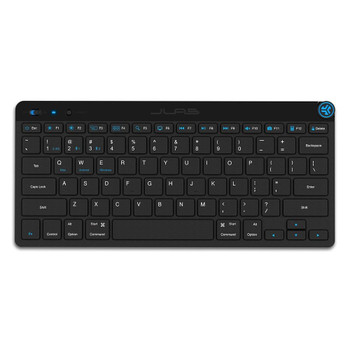
Jlab Go Bluetooth Qwerty English Keyboard IEUGBKGOKEYBRBLK4
JLab
£27.15
JLab GO Bluetooth QWERTY English UK Keyboard
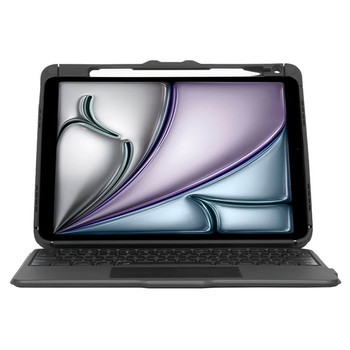
Targus VersaVu QWERTY English Bluetooth Black THZ967UK
Targus
£103.98
Meet the VersaVu Bluetooth Keyboard Case for iPad Air (M2) 11-inch, iPad (10th gen) 10.9-inch, iPad Air (5th and 4th gen.) 10.9-inch and iPad Pro (4th, 3rd, 2nd and 1st gen.) 11-inch, a protective...