
Asus
ASUS Touch VT169HE Computer Monitor 39.6 Cm 15.6 1920 X 1080 Pixels Full HD LED VT169HE
(No reviews yet)
Write a Review

- UPC:
- 4711387406090
- MPN:
- VT169HE
- Condition:
- New
- Availability:
- Available with FREE Delivery (usually delivered within 5-7 working days)

Description
10-Point Multi-touch - An Incredibly Intuitive Touch Experience
ASUS VT169HE is a 15.6-inch Full HD(1920x1080) IPS monitor which combines 10-point multi-touch capability with superb image quality, flexible connectivity, durability and sustainability.
The precise and accurate multi-touch display- allowing up to 10 simultaneous touches - is optimized for use with Windows 11/ 10, allowing you to work smarter and more efficiently, as well as perfect for public usage.
*10-point touch functionality depends on operating system.
Windows 11 Compatible
VT169HE has passed the tests and been confirmed that it has best compatibility and reliability with Windows 11/ 10 operating system compliance. Ensuring home and business users of Microsoft-s new operating system can benefit from ASUS Touch Monitor.
Simply tap, drag, pinch, zoom or spin with your fingers for an amazingly natural and effortless touch experience. All Windows 11/ 10 compliance touch gestures can be used on the ASUS VT169HE.
Perfect Comfort and Flexibility for Home and Office
VT169HE has multiple video and peripheral connectors, including VGA and HDMI, making it suitable for use anywhere, either at home or in the office.
VT169HE features an ergonomically-designed tilting stand that lets you choose the ideal viewing position. The monitor is also VESA mount-compatible, making it easy to mount on a wall or conventional monitor arm. It also allows users to mount NUC / Mini-PCs on the rear of monitor, making the desktop clutter-free and space saving.
Protect Your Eyes
Eye Care Plus Technology
Color Augmentation
Easily distinguish onscreen colors
Rest Reminder
Set pop-up reminders at five-minute intervals, notifying you when it-s time to take a break
Blue Light Filter
Adjustable blue-light filter levels to suit your preference or any scenario
Flicker Free
Integrated T-V Rheinland-certified reduces onscreen flicker to ensure comfortable viewing
ASUS DisplayWidget Center
Easily adjust your monitor settings through this intuitive app, without having to touch the physical buttons on the monitor.
Sustaining an Incredible Future
Environmental Certification*
Each monitor is stringently tested to meet the requirements of world-leading sustainability certifications. These tests are up-to-date with the latest certification criteria, are independently verified, and serve as a structured system to ensure the continuous improvement of ASUS products.
Eco-friendly Packaging
The sustainable packaging of ASUS VT169HE is FSC- Mix-certified. The lightweight, eco-friendly cardboard box that it-s packed in is designed to keep overall volume to a minimum, for more efficient shipping.
Energy-Efficient Features
ASUS VT169HE includes power saving mode to offer lower power consumption while using.
Eco-friendly Materials
ASUS invests heavily in extensive research and development to ensure that ASUS VT169HE touch monitor is made from latest eco-friendly materials, such as 85% post-consumer recycled (PCR) plastics, halogen-free PCB and mercury-free panel.
Specs
Display
Display diagonal
Size of the display for this product, measured diagonally, usually in inches.
39.6 cm (15.6")
Display resolution
The number of distinct pixels in each dimension that can be displayed. It is usually quoted as width - height, with the units in pixels: for example, "1024 - 768" means the width is 1024 pixels and the height is 768 pixels. The higher the number of pixels, the sharper the image.
20 x 1080 pixels
HD type
Type of supported High Definition (e.g. Full HD, 4K Ultra HD).
Full HD
Native aspect ratio
The aspect ratio is the ratio of the width of an image to its height. The native aspect ratio is the one which the projector/display is particularly designed for. Images shown in native aspect ratio will utilize the entire resolution of the display and achieve maximum brightness. Images shown in other than native aspect ratio will always have less resolution and less brightness than images shown in native aspect ratio.
:9
Display technology
The technology used in the display e.g. plasma, LED.
LED
Panel type
IPS
LED backlight
A backlight is a form of illumination used in liquid crystal displays (LCDs). One type of backlight is made by LEDs, which can be either white or RGB (red green blue). White LEDs are used most often in notebooks and desktop screens, and in virtually all mobile LCD screens. RGB LEDs for backlighting are found in high-end color proofing displays such as HP DreamColor LP2480zx monitor or selected HP EliteBook notebooks, as well as newer consumer grade displays such as Dell's Studio series laptops which have an optional RGB LED display.
Touchscreen
A screen of a laptop, smartphone, etc., that responds to touch so you can control the interface using your fingers.
Touchscreen type
There are a variety of touchscreen technologies that have different methods of sensing touch, including resistive and capacitive.
Tabletop
Touchscreen technology
Projected capacitive system
Touch technology
Technology of touch sensetive screen e.g. dual-touch.
Multi-touch
Number of simultaneous touchpoints
Display brightness (typical)
Display brightness, measured by its Luminance, presented as a figure in nits. Typical brightness ratings for monitors range from 250 to 350 nits with a target value of between 80 to 120 nits being suitable for most displays in a normal viewing environment.
220 cd/m-
Response time
The response time is the time difference between the moment that a source (for example a video card) sends a signal and that equipment (for example a monitor) receives or display the signal. (Used abbreviations: R/F = Rise and Fall.)
5 ms
Response time measurement type
GTG (Gray to Gray)
Anti-glare screen
Always gives an optimal view, even in direct sunlight.
Screen shape
Flat
Contrast ratio (typical)
The difference in light intensity between the brightest white and the darkest black.
00:1
Maximum refresh rate
60 Hz
Viewing angle, horizontal
Maximum horizontal angle at which a display can be viewed with acceptable visual performance.
0-
Viewing angle, vertical
Maximum vertical angle at which a display can be viewed with acceptable visual performance.
0-
Display number of colours
262000 colours
Pixel pitch
This is the parameter of a picture tube, which specifies the shortest distance between two dots of the same colour. The principle is: the smaller the dot pitch, the better sharpness of image.
0.179 x 0.179 mm
Viewable size, horizontal
The viewable size is often somewhat smaller than the actual size of a monitor, because there is a border around the image.
34.4 cm
Viewable size, vertical
.4 cm
Digital horizontal frequency
30 - 84 kHz
Digital vertical frequency
59 - 61 Hz
Performance
NVIDIA G-SYNC
AMD FreeSync
The product includes AMD Freesync Technology for the dynamic synchronization of the graphic card and the monitor in order to avoid screen tearing.
Flicker-free technology
Low Blue Light technology
Multimedia
Built-in speaker(s)
The device contains speaker(s) to produce sound.
Built-in camera
The product has an integrated camera.
Design
Market positioning
Under which category can the device be positioned in the market, e.g. camera phone.
Business
Product colour
The colour e.g. red, blue, green, black, white.
Black
Detachable stand
Feet colour
The colour of the feet, which are the projecting part on which a device/piece of furniture, or each of its legs, stands.
Black
Ports & interfaces
Built-in USB hub
Whether or not the device features a USB hub to connect more than one other device via USB.
VGA (D-Sub) ports quantity
Number of VGA (D-Sub) ports (connecting interfaces) in the device. The VGA (D-Sub) connector is a 15 pin connector between a computer and a monitor. It was first introduced in 1987 by IBM.
1
HDMI
HDMI (High-Definition Multimedia Interface) is a compact audio/video interface for transferring uncompressed video data and compressed/uncompressed digital audio data from a HDMI-compliant device ("the source device") to a compatible computer monitor, video projector, digital television, or digital audio device. HDMI is a digital replacement for existing analog video standards.
HDMI ports quantity
The number of sockets (ports) for HDMI connections. HDMI (High-Definition Multimedia Interface) is a compact audio/video interface for transferring uncompressed video data and compressed/uncompressed digital audio data from a HDMI-compliant device ("the source device") to a compatible computer monitor, video projector, digital television, or digital audio device. HDMI is a digital replacement for existing analog video standards.
1
Ports & interfaces
HDMI version
1.4
Headphone out
The socket for connecting headphones to the device.
HDCP
High-bandwidth Digital Content Protection (HDCP) is a form of digital copy protection to prevent copying of digital audio and video content as it travels across connections.
HDCP version
1.4
Ergonomics
VESA mounting
Panel mounting interface
The product can be used wih VESA mounting interfaces.
75 x 75 mm
Wall mountable
The product can be mounted on (attached to ) a wall.
Cable lock slot
Holes on the edge of devices through which a cable lock can be passed, so the device can be locked to a desk etc.
Cable lock slot type
Kensington
Height adjustment
The part of the device that can be adjusted to change the height.
Tilt adjustment
The tilt, which means the angle at which the device is pointing (up or down), can be changed.
Tilt angle range
-5 - 30-
Power
Energy efficiency class (SDR)
C
Energy efficiency class (HDR)
Not available
Energy consumption (SDR) per 1000 hours
8 kWh
Power consumption (typical)
Amount of power consumed by this model, often expressed in watts (W). Typical values that manufacturers give are power consumption when off, standby/suspended mode, typical use, maximum usage.
7.38 W
Power consumption (standby)
The amount of electricity that is consumed when the product is on standby.
0.5 W
Power consumption (off)
0.3 W
Power consumption (PowerSave)
0.5 W
AC input voltage
The voltage of the AC electricity that is inputted into the product.
0 - 240 V
AC input frequency
50/60 Hz
Power supply type
The type of power supply which this product uses.
Internal
Energy efficiency scale
A to G
Weight & dimensions
Width (with stand)
377.8 mm
Depth (with stand)
9.4 mm
Height (with stand)
280.7 mm
Weight (with stand)
1.46 kg
Width (without stand)
377.8 mm
Depth (without stand)
44 mm
Height (without stand)
235.9 mm
Packaging data
Package width
The distance from one side of the packaging to the other.
434 mm
Package depth
The distance from the front to the back of the packaging.
2 mm
Package height
The distance from the top to the bottom of the packaging.
350 mm
Package weight
Weight of the packaged product.
2.93 kg
Package type
The type of product package e.g. box.
Box
Packaging content
Stand included
Sustainability
Sustainability certificates
ENERGY STAR, EPEAT Silver, Forest Stewardship Council (FSC) Mix
Other features
Brand specific technologies
Eye Care+, SPLENDID
Certification
Energy Star EPEAT Silver T-V Flicker-free T-V Low Blue Light FSC MIX
View AllClose
ASUS VT169HE is a 15.6-inch Full HD(1920x1080) IPS monitor which combines 10-point multi-touch capability with superb image quality, flexible connectivity, durability and sustainability.
The precise and accurate multi-touch display- allowing up to 10 simultaneous touches - is optimized for use with Windows 11/ 10, allowing you to work smarter and more efficiently, as well as perfect for public usage.
*10-point touch functionality depends on operating system.
Windows 11 Compatible
VT169HE has passed the tests and been confirmed that it has best compatibility and reliability with Windows 11/ 10 operating system compliance. Ensuring home and business users of Microsoft-s new operating system can benefit from ASUS Touch Monitor.
Simply tap, drag, pinch, zoom or spin with your fingers for an amazingly natural and effortless touch experience. All Windows 11/ 10 compliance touch gestures can be used on the ASUS VT169HE.
Perfect Comfort and Flexibility for Home and Office
VT169HE has multiple video and peripheral connectors, including VGA and HDMI, making it suitable for use anywhere, either at home or in the office.
VT169HE features an ergonomically-designed tilting stand that lets you choose the ideal viewing position. The monitor is also VESA mount-compatible, making it easy to mount on a wall or conventional monitor arm. It also allows users to mount NUC / Mini-PCs on the rear of monitor, making the desktop clutter-free and space saving.
Protect Your Eyes
Eye Care Plus Technology
Color Augmentation
Easily distinguish onscreen colors
Rest Reminder
Set pop-up reminders at five-minute intervals, notifying you when it-s time to take a break
Blue Light Filter
Adjustable blue-light filter levels to suit your preference or any scenario
Flicker Free
Integrated T-V Rheinland-certified reduces onscreen flicker to ensure comfortable viewing
ASUS DisplayWidget Center
Easily adjust your monitor settings through this intuitive app, without having to touch the physical buttons on the monitor.
Sustaining an Incredible Future
Environmental Certification*
Each monitor is stringently tested to meet the requirements of world-leading sustainability certifications. These tests are up-to-date with the latest certification criteria, are independently verified, and serve as a structured system to ensure the continuous improvement of ASUS products.
Eco-friendly Packaging
The sustainable packaging of ASUS VT169HE is FSC- Mix-certified. The lightweight, eco-friendly cardboard box that it-s packed in is designed to keep overall volume to a minimum, for more efficient shipping.
Energy-Efficient Features
ASUS VT169HE includes power saving mode to offer lower power consumption while using.
Eco-friendly Materials
ASUS invests heavily in extensive research and development to ensure that ASUS VT169HE touch monitor is made from latest eco-friendly materials, such as 85% post-consumer recycled (PCR) plastics, halogen-free PCB and mercury-free panel.
Specs
Display
Display diagonal
Size of the display for this product, measured diagonally, usually in inches.
39.6 cm (15.6")
Display resolution
The number of distinct pixels in each dimension that can be displayed. It is usually quoted as width - height, with the units in pixels: for example, "1024 - 768" means the width is 1024 pixels and the height is 768 pixels. The higher the number of pixels, the sharper the image.
20 x 1080 pixels
HD type
Type of supported High Definition (e.g. Full HD, 4K Ultra HD).
Full HD
Native aspect ratio
The aspect ratio is the ratio of the width of an image to its height. The native aspect ratio is the one which the projector/display is particularly designed for. Images shown in native aspect ratio will utilize the entire resolution of the display and achieve maximum brightness. Images shown in other than native aspect ratio will always have less resolution and less brightness than images shown in native aspect ratio.
:9
Display technology
The technology used in the display e.g. plasma, LED.
LED
Panel type
IPS
LED backlight
A backlight is a form of illumination used in liquid crystal displays (LCDs). One type of backlight is made by LEDs, which can be either white or RGB (red green blue). White LEDs are used most often in notebooks and desktop screens, and in virtually all mobile LCD screens. RGB LEDs for backlighting are found in high-end color proofing displays such as HP DreamColor LP2480zx monitor or selected HP EliteBook notebooks, as well as newer consumer grade displays such as Dell's Studio series laptops which have an optional RGB LED display.
Touchscreen
A screen of a laptop, smartphone, etc., that responds to touch so you can control the interface using your fingers.
Touchscreen type
There are a variety of touchscreen technologies that have different methods of sensing touch, including resistive and capacitive.
Tabletop
Touchscreen technology
Projected capacitive system
Touch technology
Technology of touch sensetive screen e.g. dual-touch.
Multi-touch
Number of simultaneous touchpoints
Display brightness (typical)
Display brightness, measured by its Luminance, presented as a figure in nits. Typical brightness ratings for monitors range from 250 to 350 nits with a target value of between 80 to 120 nits being suitable for most displays in a normal viewing environment.
220 cd/m-
Response time
The response time is the time difference between the moment that a source (for example a video card) sends a signal and that equipment (for example a monitor) receives or display the signal. (Used abbreviations: R/F = Rise and Fall.)
5 ms
Response time measurement type
GTG (Gray to Gray)
Anti-glare screen
Always gives an optimal view, even in direct sunlight.
Screen shape
Flat
Contrast ratio (typical)
The difference in light intensity between the brightest white and the darkest black.
00:1
Maximum refresh rate
60 Hz
Viewing angle, horizontal
Maximum horizontal angle at which a display can be viewed with acceptable visual performance.
0-
Viewing angle, vertical
Maximum vertical angle at which a display can be viewed with acceptable visual performance.
0-
Display number of colours
262000 colours
Pixel pitch
This is the parameter of a picture tube, which specifies the shortest distance between two dots of the same colour. The principle is: the smaller the dot pitch, the better sharpness of image.
0.179 x 0.179 mm
Viewable size, horizontal
The viewable size is often somewhat smaller than the actual size of a monitor, because there is a border around the image.
34.4 cm
Viewable size, vertical
.4 cm
Digital horizontal frequency
30 - 84 kHz
Digital vertical frequency
59 - 61 Hz
Performance
NVIDIA G-SYNC
AMD FreeSync
The product includes AMD Freesync Technology for the dynamic synchronization of the graphic card and the monitor in order to avoid screen tearing.
Flicker-free technology
Low Blue Light technology
Multimedia
Built-in speaker(s)
The device contains speaker(s) to produce sound.
Built-in camera
The product has an integrated camera.
Design
Market positioning
Under which category can the device be positioned in the market, e.g. camera phone.
Business
Product colour
The colour e.g. red, blue, green, black, white.
Black
Detachable stand
Feet colour
The colour of the feet, which are the projecting part on which a device/piece of furniture, or each of its legs, stands.
Black
Ports & interfaces
Built-in USB hub
Whether or not the device features a USB hub to connect more than one other device via USB.
VGA (D-Sub) ports quantity
Number of VGA (D-Sub) ports (connecting interfaces) in the device. The VGA (D-Sub) connector is a 15 pin connector between a computer and a monitor. It was first introduced in 1987 by IBM.
1
HDMI
HDMI (High-Definition Multimedia Interface) is a compact audio/video interface for transferring uncompressed video data and compressed/uncompressed digital audio data from a HDMI-compliant device ("the source device") to a compatible computer monitor, video projector, digital television, or digital audio device. HDMI is a digital replacement for existing analog video standards.
HDMI ports quantity
The number of sockets (ports) for HDMI connections. HDMI (High-Definition Multimedia Interface) is a compact audio/video interface for transferring uncompressed video data and compressed/uncompressed digital audio data from a HDMI-compliant device ("the source device") to a compatible computer monitor, video projector, digital television, or digital audio device. HDMI is a digital replacement for existing analog video standards.
1
Ports & interfaces
HDMI version
1.4
Headphone out
The socket for connecting headphones to the device.
HDCP
High-bandwidth Digital Content Protection (HDCP) is a form of digital copy protection to prevent copying of digital audio and video content as it travels across connections.
HDCP version
1.4
Ergonomics
VESA mounting
Panel mounting interface
The product can be used wih VESA mounting interfaces.
75 x 75 mm
Wall mountable
The product can be mounted on (attached to ) a wall.
Cable lock slot
Holes on the edge of devices through which a cable lock can be passed, so the device can be locked to a desk etc.
Cable lock slot type
Kensington
Height adjustment
The part of the device that can be adjusted to change the height.
Tilt adjustment
The tilt, which means the angle at which the device is pointing (up or down), can be changed.
Tilt angle range
-5 - 30-
Power
Energy efficiency class (SDR)
C
Energy efficiency class (HDR)
Not available
Energy consumption (SDR) per 1000 hours
8 kWh
Power consumption (typical)
Amount of power consumed by this model, often expressed in watts (W). Typical values that manufacturers give are power consumption when off, standby/suspended mode, typical use, maximum usage.
7.38 W
Power consumption (standby)
The amount of electricity that is consumed when the product is on standby.
0.5 W
Power consumption (off)
0.3 W
Power consumption (PowerSave)
0.5 W
AC input voltage
The voltage of the AC electricity that is inputted into the product.
0 - 240 V
AC input frequency
50/60 Hz
Power supply type
The type of power supply which this product uses.
Internal
Energy efficiency scale
A to G
Weight & dimensions
Width (with stand)
377.8 mm
Depth (with stand)
9.4 mm
Height (with stand)
280.7 mm
Weight (with stand)
1.46 kg
Width (without stand)
377.8 mm
Depth (without stand)
44 mm
Height (without stand)
235.9 mm
Packaging data
Package width
The distance from one side of the packaging to the other.
434 mm
Package depth
The distance from the front to the back of the packaging.
2 mm
Package height
The distance from the top to the bottom of the packaging.
350 mm
Package weight
Weight of the packaged product.
2.93 kg
Package type
The type of product package e.g. box.
Box
Packaging content
Stand included
Sustainability
Sustainability certificates
ENERGY STAR, EPEAT Silver, Forest Stewardship Council (FSC) Mix
Other features
Brand specific technologies
Eye Care+, SPLENDID
Certification
Energy Star EPEAT Silver T-V Flicker-free T-V Low Blue Light FSC MIX
Additional Information
Shipping: |
Usually shipped within 3-5 working days |
Delivery: |
Usually delivered within 5-7 working days |
Related Products
Related Products

Asus VT169HE 169He Computer Monitor 39.6 VT169HE
Asus
£225.57
169He Computer Monitor 39.6 Cm (15.6") 1920 X 1080 Pixels
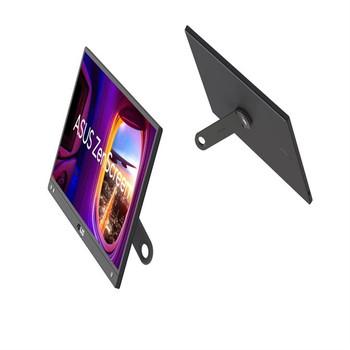
ASUS ZenScreen MB166CR computer monitor 39.6 cm 15.6 1920 x 1080 pixels Full HD MB166CR
Asus
£146.59
Sleek and portable design ASUS ZenScreen- is ideal for life on the road. This sleek portable display is light weight and has a slim profile, so it fits easily in any travel bag and is ready for...
Out of stock

ASUS ZenScreen MB16AHP 39.6 cm 15.6" 1920 x 1080 pixels Full HD LED 5 ms Black MB16AHP
Asus
£343.05
Extend your vision. Free your world.
ZenScreen Go MB16AHP with a large 7800 mAh built-in battery is designed to keep you productive, wherever you are. It weighs only 0.86 kilograms and is 9...
Out of stock

ASUS ZenScreen MB166C 39.6 cm 15.6" 1920 x 1080 pixels Full HD LED 5 ms Black MB166C
Asus
£108.66
Sleek and portable design
ASUS ZenScreen is ideal for life on the road. This sleek portable display is light weight and has a slim profile, so it fits easily in any travel bag and is ready for...